An expression drives a property's value with a small formula instead of hand-set keyframes. Rather than placing a keyframe at each moment, you write one line of code, and Sequence recalculates the property on every frame.
Reach for an expression when the motion is procedural or rule-based — a value that wiggles, oscillates, or counts up over time — or when you want one property to follow another so the two stay linked. For motion you want to shape by hand, use keyframes instead. See Keyframe Animation.
Where expressions live#
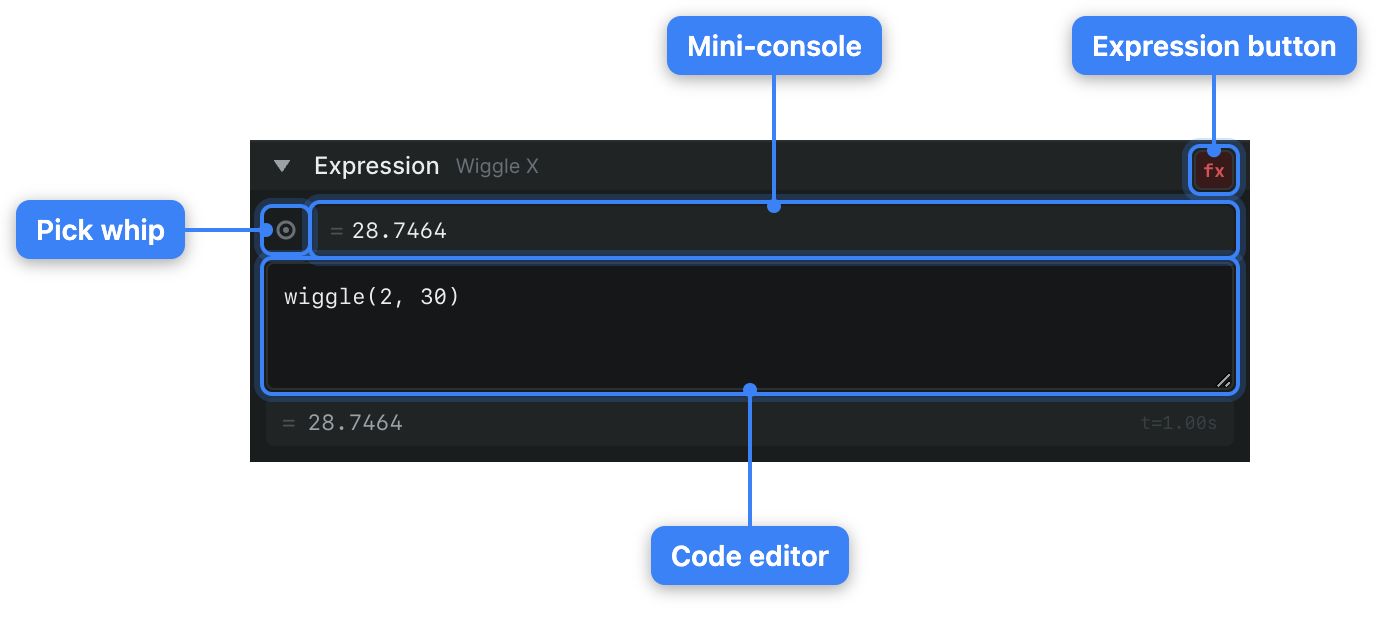
Each animatable property in the keyframe panel has an Expression section, labeled with the property's name. Click the Expression header to expand it. Inside, you'll find a code editor, a live mini-console, and the pick-whip icon.
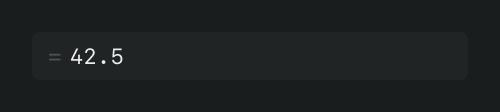
Type your formula into the code editor. As you type, the mini-console above it previews the result: it shows = followed by the current evaluated value, "No expression" when the field is empty, or an error message if the formula can't be parsed. Because the value is evaluated at the current time, scrubbing the playhead (the current-time indicator) updates the preview.
To apply the expression to the property, click the fx button. Clicking fx again disables the expression and returns the property to its keyframed values. The formula stays in the editor, so you can re-enable it later.
Click the Expression header again to collapse the section.
Note
The fx button becomes available only once the editor contains an expression. An empty field leaves it inactive.
Link one property to another#
The pick whip lets an expression read another property's value, so a change in one place ripples through to the other.
- In Sequence, expand the Expression section for the property you want to drive.
- Click in the code editor where the reference should go.
- Drag from the pick-whip icon (its tooltip reads Pick whip) onto the property you want to reference. Sequence draws a line from the icon to your pointer as you drag.
- Release over the target property.
Sequence inserts a reference to that property into your expression. As the source property changes, the driven property follows.