Get Started
Sign in, get oriented in the editor, and learn how Sequence is organized before you dive in.
Sign in and orient
Getting Started
Sign in to Sequence, find your way around the project dashboard, and see where to go next.
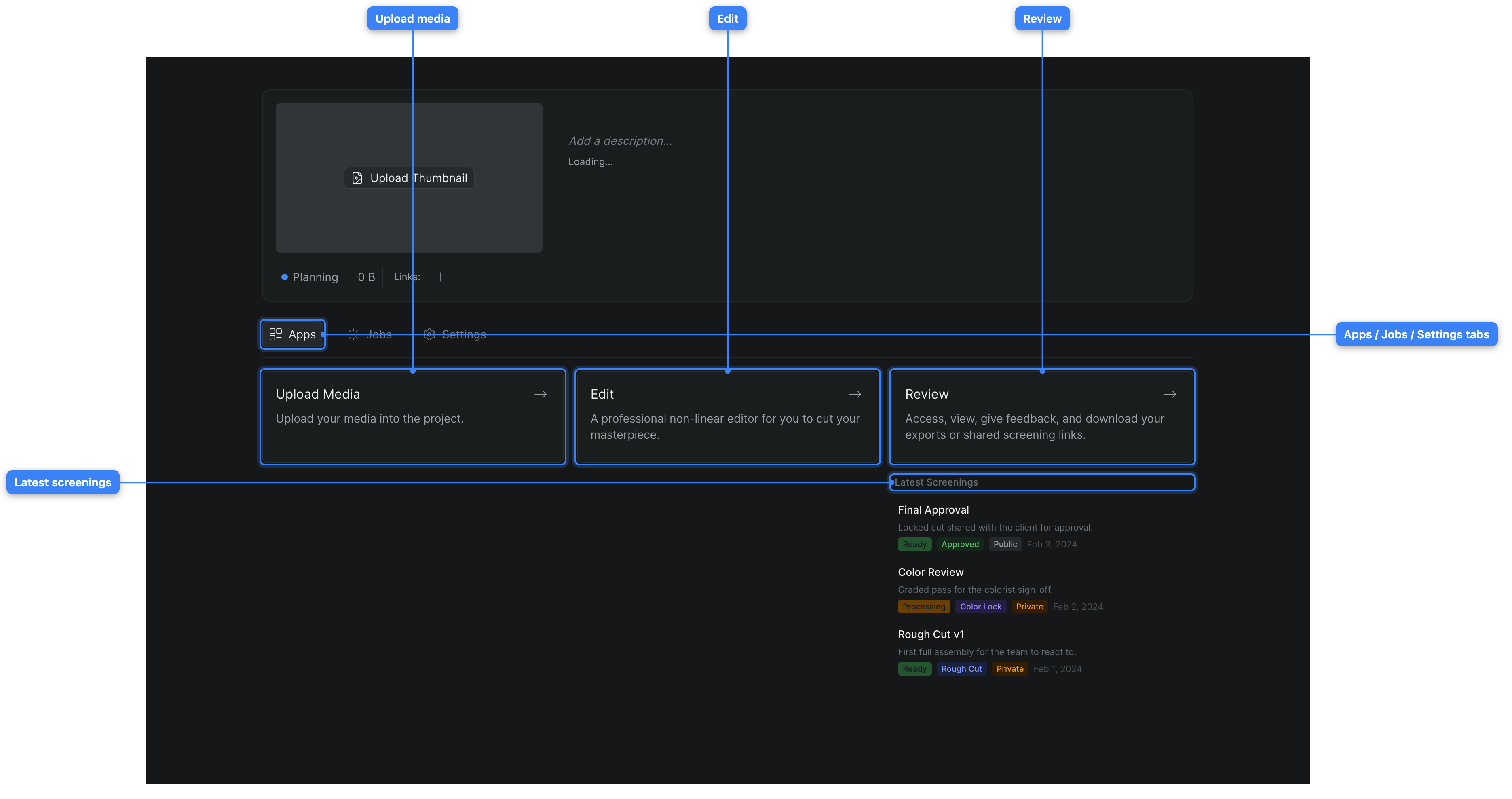
Project Overview
The project home: jump to the Upload, Edit, and Review apps, watch background jobs, open settings, and see recent screenings.
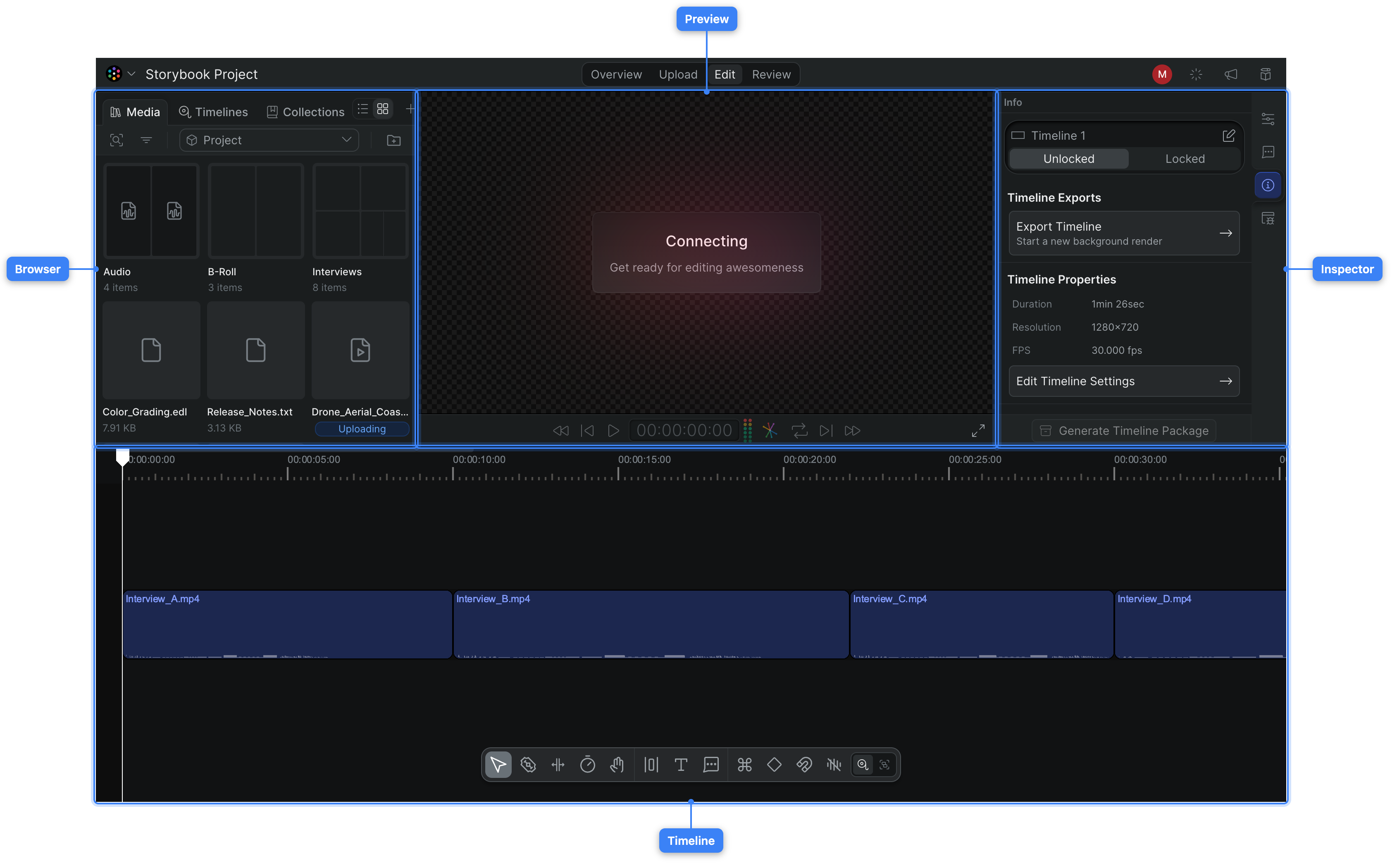
Tour the editor interface
A labeled tour of the Sequence editor — the browser, preview, inspector, and timeline panels, the top bar and Reel menu, and how to show or hide each panel.