A Sequence project is multiplayer: several people can open the same project and edit it at the same time, the way a team edits one document together. Every change one person makes — trimming a clip, adding media, renaming a timeline — appears on everyone else's screen within moments, so you're always working against the current state of the cut rather than a stale copy.
Because everyone shares one live project, there's no file to save, hand off, or merge. Your edits are recorded continuously as you make them, and the project's history is shared, so anyone in the room can scrub back through it. See Browse history with Time Travel.
Everyone currently in a project appears as a row of colored avatars in the header — that's who else is editing right now. Each person is assigned a color that identifies them throughout the project, from their avatar to their cursor.

See where everyone is working#
When more than one person is in a project, each collaborator's pointer shows up as a live cursor in the timeline, in their color and labeled with their name. As they move around and edit, their cursor moves too — so you can see at a glance who's working where and stay out of each other's way.
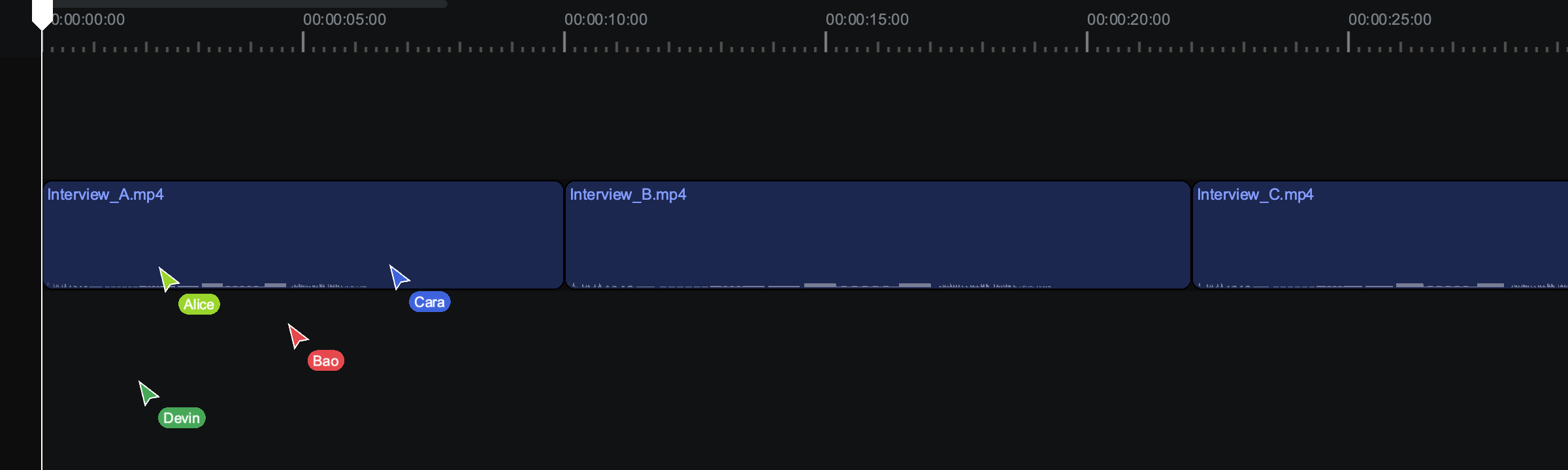
To jump to a collaborator's timeline and mirror their zoom and scroll instead of just watching their cursor, follow them. See Follow a collaborator's view.
Send a quick message with Cursor Chat#
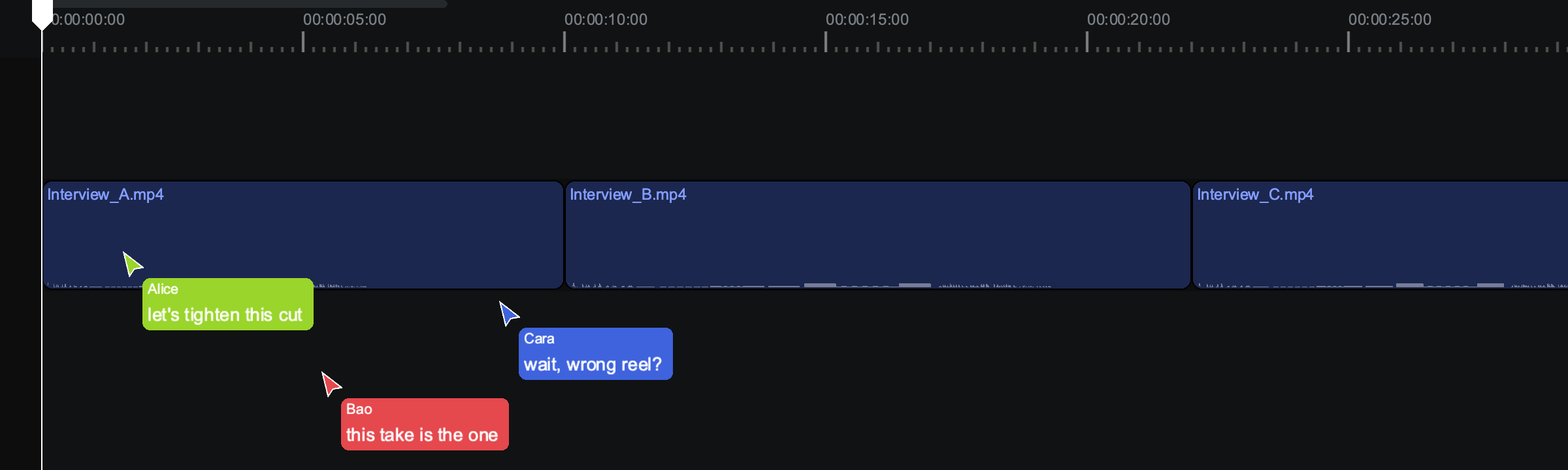
Cursor Chat lets you post a short, ephemeral message that rides along on your cursor for the people in the project to see — handy for a quick "look at this" without leaving a permanent note.
Press / to start Cursor Chat, type your message, and it appears on your cursor in the timeline for other collaborators. Press / again to dismiss it. A Cursor Chat message clears on its own after a few seconds, and it isn't saved anywhere — if you want a note that stays with the work, leave a comment instead. See Add and manage comments.
Your work saves continuously#
Sequence records your edits as you make them and syncs them to everyone else in real time, so there's nothing to save by hand. If your connection drops, Sequence keeps the changes you make while offline and reconnects automatically; once you're back online it resyncs so your work and everyone else's line up again.
Note
While you're offline you won't see other people's changes, and they won't see yours, until the connection is restored. When it reconnects, Sequence reconciles both sides — the shared project catches up to include everything that happened in the meantime.