Commercial post starts against the clock. The agency wants a cut hours after wrap, the brand wants changes the same day, and every market needs its own version. The friction isn't the edit — it's everything around it: exporting a cut, uploading it to a review tool, chasing notes across email, then re-ingesting them by hand. Every handoff costs you a turnaround you didn't have to spend.
Sequence collapses the loop. You cut in the browser, publish the cut as a screening, and send one link. The agency watches in-browser and leaves time-coded notes — no export, no upload, no download on their end. When a version is approved, the next market's cut starts from the same project.
It still hands off cleanly to finishing. Approve the master, then round-trip to Resolve or Pro Tools for the grade and mix.
The workflow challenge#
Commercial editorial moves at a different pace:
- Same-day turnarounds — rough cuts expected hours after the shoot wraps, not days
- Tight client-review cycles — agencies and brands who need to watch and respond now, without installing anything
- Multiple versions — regional cuts, cutdowns, and alternates with different supers, audio, and legal copy
- Volume — a post house running many campaigns at once, where every saved handoff compounds
How Sequence fits#
Same-day client review
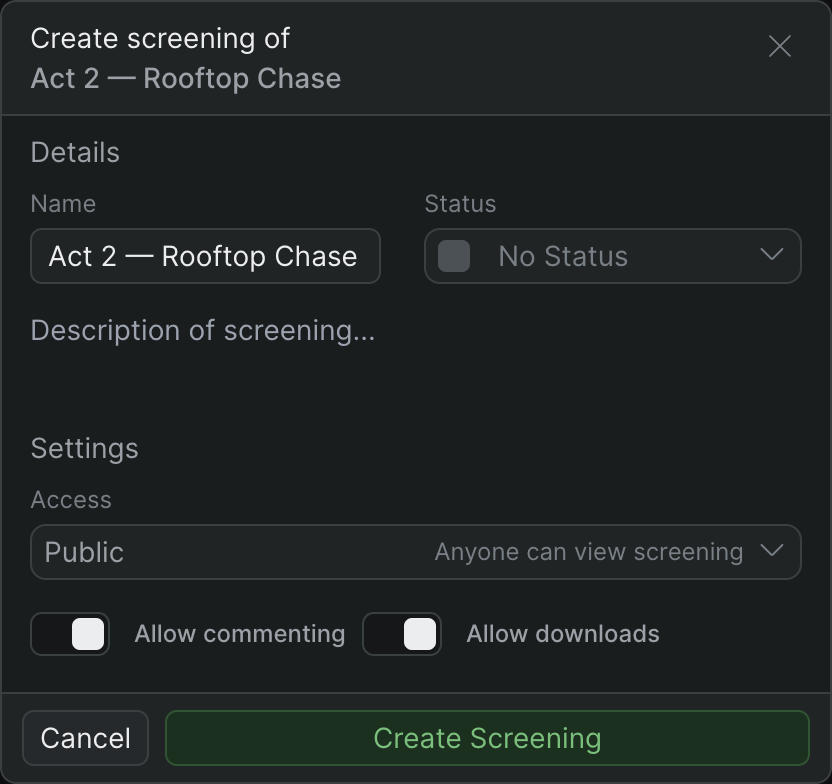
Publish a cut as a screening and send a link. Clients watch in the browser with frame-accurate scrubbing and leave time-coded comments on the screening. No export, no upload — the review is a link, not a deliverable.
One project, one source of truth
Regional cuts and cutdowns live in the same project instead of scattered across drives and folders, so there's no FINAL_v3 to sort out. Time Travel keeps the project's history, so you can scrub back to any earlier state of a cut.
Controlled agency access
Add agency creatives and producers as project Guests — they see the one project you put them on and nothing else — or keep them out of the project entirely and just send a Private screening. Projects are private by default.
No media transfer wait
Media lands and Sequence processes it into playable clips in the background, preparing optimized versions for smooth playback as it goes — editors start cutting from anywhere without waiting on a drive to copy. See Add media to your project and Background jobs.
Typical pipeline#
Ingest after wrap
Footage comes off the shoot and into Sequence — dragged in, uploaded, or pulled from a URL. Sequence processes it in the background so editing can begin as soon as the first clips are ready. See Add media to your project.
Cut
Editors cut in the browser from the edit bay, home, or the production office. Several can work the same live project at once on different cuts of the campaign. See Edit together in real time.
Send the review link
Publish the cut as a screening and share the link with the agency. They watch in-browser and leave time-coded notes on the screening; you see them come in and turn a revision the same day. Track each cut's status — Needs Review, Rough Cut, Approved — right on the screening.
Who it's for#
- Post houses running high-volume commercial work
- Editors cutting across several campaigns at once
- Producers coordinating agency and brand feedback
- Facilities delivering localized versions across markets
[Customer story — TODO: real reference needed]
Space reserved for a named commercial or agency reference. No turnaround claim goes here until it comes from a real customer.