Format friction is a real tax on an edit: a clip that won't import, a codec your tool can't read, a wrapper you have to transcode before anything will touch it. Sequence keeps that out of your way. It accepts most common video, audio, and image files, plus a range of document and subtitle files, and reads each one's real format from the file itself — not just its extension.
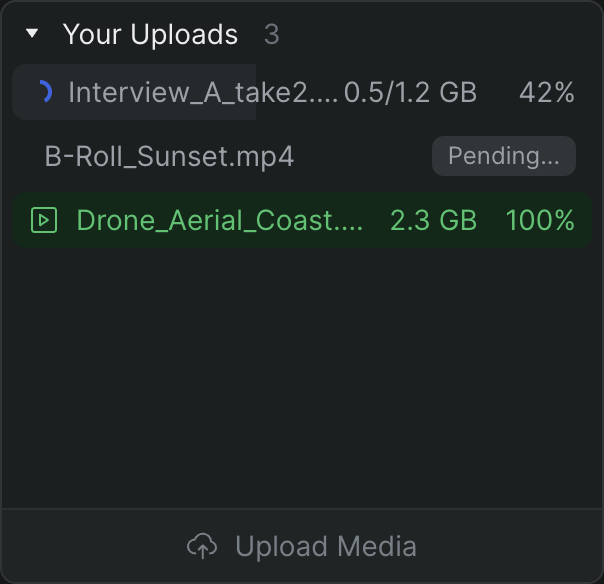
When you add a file, Sequence uploads it, reads its technical details, and prepares an optimized version for smooth browser playback — all as a background job, so you keep working. Common containers like .mp4, .mov, and .wav carry a wide variety of codecs, and Sequence handles them as it processes the upload. Drag, drop, and start cutting.
What you can add#
Sequence sorts every file into one of two kinds:
Media
- Video, audio, and image files
- Anything that isn't a recognized document becomes a playable or viewable asset
- Classified automatically by extension as you add it
- Read in the Asset Metadata panel: container, video stream, audio stream, captions
Documents
- Reference and edit-exchange files that live alongside your media
.pdf,.txt,.md,.csv,.xlsx,.doc/.docx,.ppt/.pptx,.rtf,.html,.xml- Subtitle and caption files:
.srt,.vtt,.ass - Edit-exchange (
.edl,.fcpxml), LUTs (.cube), screenplays (.fdx)
Reads the real format, not the extension#
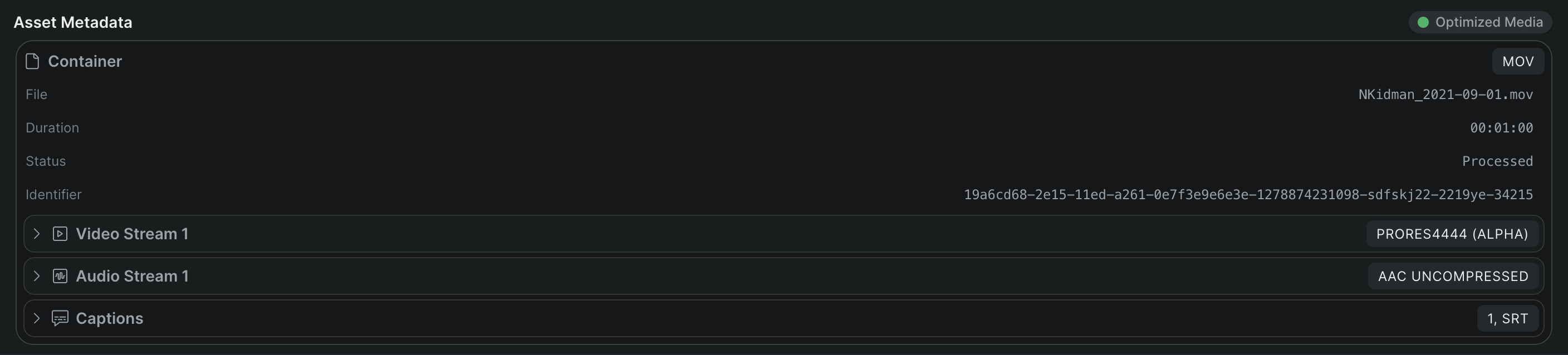
Sequence reads a file's actual codec and container from the file itself. To check what it found, select the asset, open the Inspector, and go to the Info tab's Asset Metadata panel. It groups the details into the file's Container (shown as a badge such as MP4 or MOV, with file name, duration, and size), each Video Stream (codec, resolution, frame rate, interlaced state, rotation), each Audio Stream (codec, sample rate, output channels, configuration), and any embedded Captions. When a clip won't optimize or playback looks wrong, this is where you confirm what the file really is.
A few formats aren't supported#
Sequence is honest about what it can't take. If you drop in an unsupported file, it's skipped with an Unsupported file message naming the file — never a silent failure. That list includes application project files (Adobe After Effects .aep, Adobe Premiere Pro .prproj, Blender .blender), vector images (.svg) and Apple HEIC photos (.heic), and system or archive files such as .dmg, .gz, and .sql. If you need one of these in a project, export it to a standard media format first. See Supported media formats for the full picture.
Who it's for#
- Assistant editors ingesting mixed-source footage who need files to just take, without a transcode-first step.
- Editors working across camera originals and web-optimized delivery codecs in the same project.
- Post teams carrying subtitle, LUT, and edit-exchange files alongside their media in one library.
- Anyone who wants Sequence to read a file's true format when playback looks off.