Reference clips, review recordings, and temp tracks rarely start life as files on your drive. They're a Vimeo link a director sent, a Zoom recording of a session, a sound effect on Freesound. The old routine is a detour: download it locally with some sketchy tool, then upload it back into your project — twice the transfer, twice the wait.
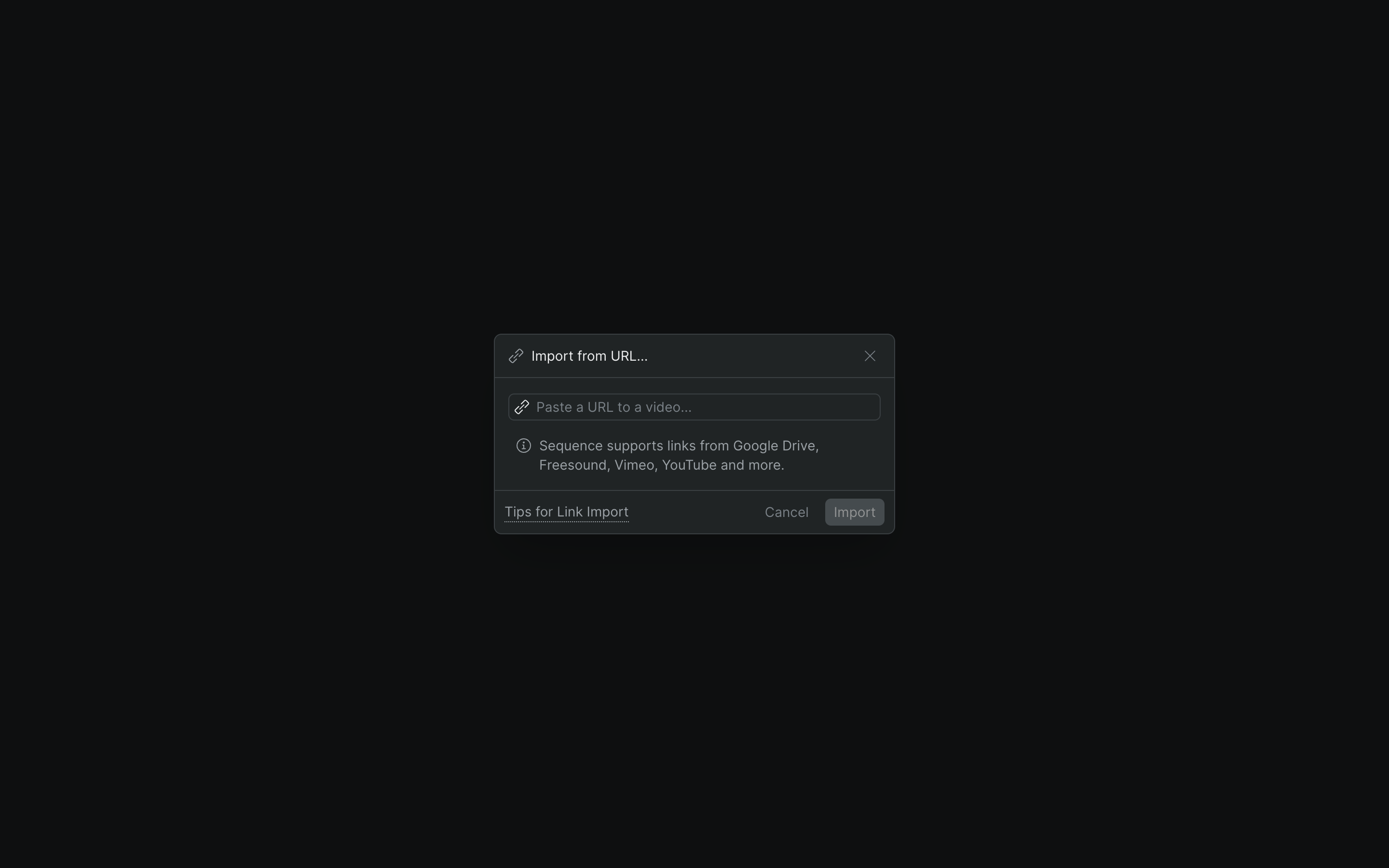
Sequence skips the round trip. If your media lives on a supported platform, you import it by link instead of downloading it first. Open the project library, click the + button, choose Import from URL, and paste the link. Sequence checks the source, then pulls and processes the media as a background job — you'll see a Link import started in background confirmation — and the finished clip lands in your library when it's ready.
What you get#
Paste and go
- Import from the library + button → Import from URL
- One field: paste a link, click Import
- Sequence verifies the link is from a supported platform
- The import runs in the background while you keep working
Supported sources
- YouTube, Vimeo, and X (Twitter)
- Facebook, Instagram, TikTok, and Twitch
- Google Drive and Zoom recordings
- Freesound for sound effects
Handled in the background
- Runs as a background job, like any upload
- Track it in the progress queue under Link Imports
- The imported file lands in your library when ready
- Nothing to babysit, nothing to re-upload
Straight into your library
- Imported media arrives ready to add to a timeline
- Organize it into folders alongside your other footage
- Shared with the project, like everything else in the library
- Share a link with your team instead of a large file
How it fits your pipeline#
Link import is the quickest way to get web-hosted reference into an edit without turning it into a file-management chore. Send collaborators a URL instead of a multi-gigabyte drop; pull a director's Vimeo notes or a Zoom session recording straight into the library; grab a Freesound effect for a temp mix. Once imported, the clip behaves like any other asset — cut it, comment on it, and swap it out when the real element arrives.
One thing to check
Make sure the link is complete and publicly accessible. If Import from URL isn't in your + menu, the feature isn't enabled for your workspace yet. See Add media to your project.
Who it's for#
- Editors collecting reference and temp material from the web without a download-and-re-upload detour.
- Assistant editors pulling in Zoom session recordings or Google Drive sources hosted outside the project.
- Documentary and social teams building reference libraries from platform-hosted footage.
- Anyone on a distributed team who'd rather share a URL than move a large file around.