Sound carries the cut, but in most cloud editors it's an afterthought — a volume line and little else, so the real mix waits for another app. Roughing in levels means guessing, and a hot dialogue track doesn't announce itself until someone plays it back loud.
Sequence puts working audio control in the timeline where you're already editing. Detach a clip's audio onto its own element with Option-D, set levels by ear against real peak meters, shape tone with a full equalizer, and clean up a track with built-in effects — all without leaving your edit. When it's time to finish, the whole session hands off to Pro Tools as an AAF.
What you can do to a track#
Detach and level
- Split audio onto its own element with ⌥ + D, a right-click, or the inspector Detach audio button
- Set a clip's level as a percentage — 100% is unchanged, down to silence, or boost up to 800% to rescue quiet source audio
- Mute with Shift-M; changes sync to collaborators and undo cleanly
Keyframe fades and swells
- The volume field is keyframable, so you can fade a clip up or down instead of holding one level
- Set a level at the playhead, move, and set another — Sequence interpolates between them
- Shape the curve in the keyframe graph editor
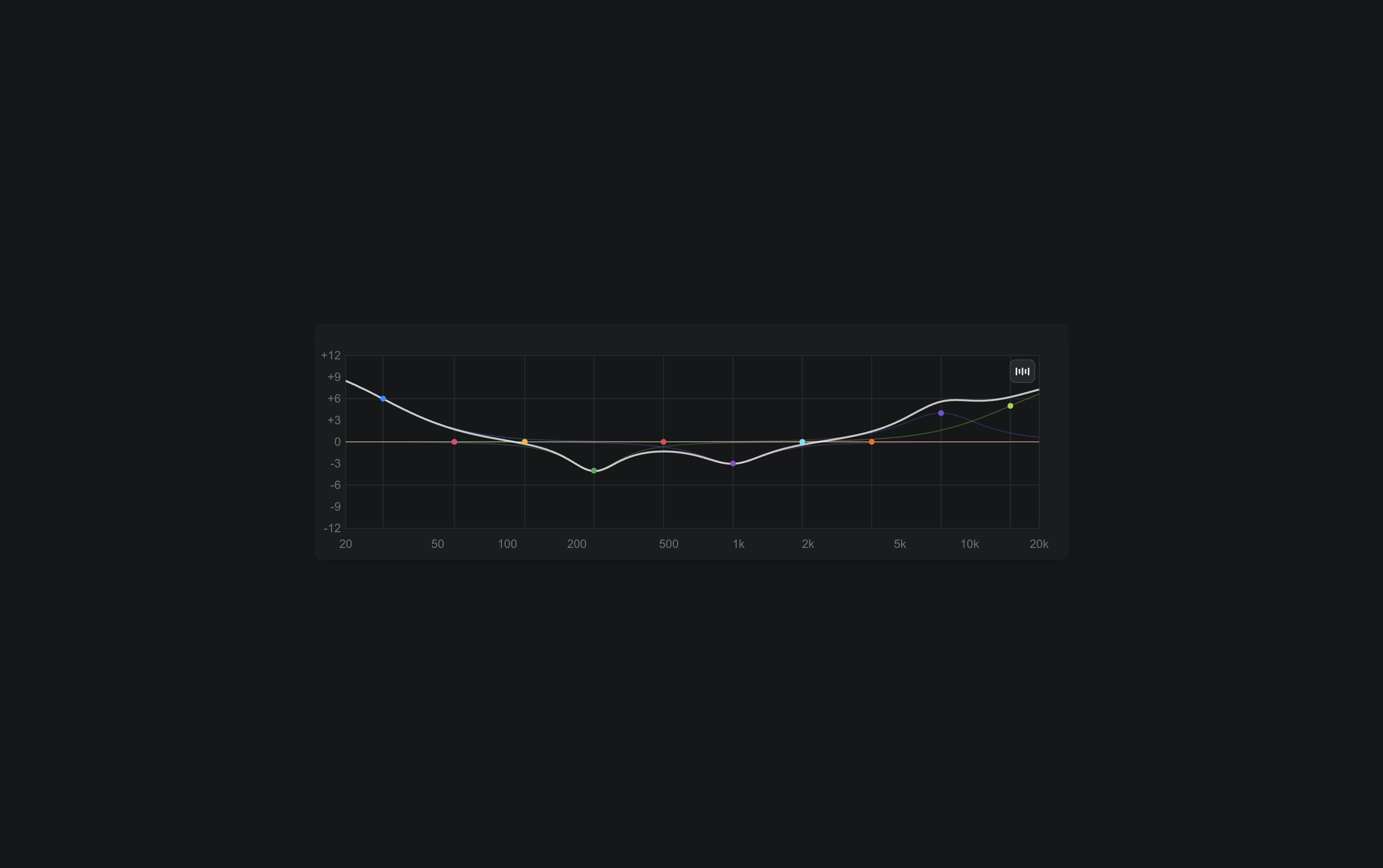
Shape tone with EQ
- A full equalizer with per-band gain, Q, and frequency, plus high-pass and low-pass filters
- Presets for common jobs — Voice Enhance, Hum Reduction, Bass Boost, and more
- A live analyzer overlays the playing signal so you shape against what you hear
Sweeten with built-in effects
- Four effects in the inspector: Denoise, Reverb, Compressor, and Loudness
- Loudness normalizes toward a target in LUFS — set −24 for broadcast and get a consistent level
- Denoise and Compressor clean up and even out dialogue without a round-trip
Watch levels while you cut#
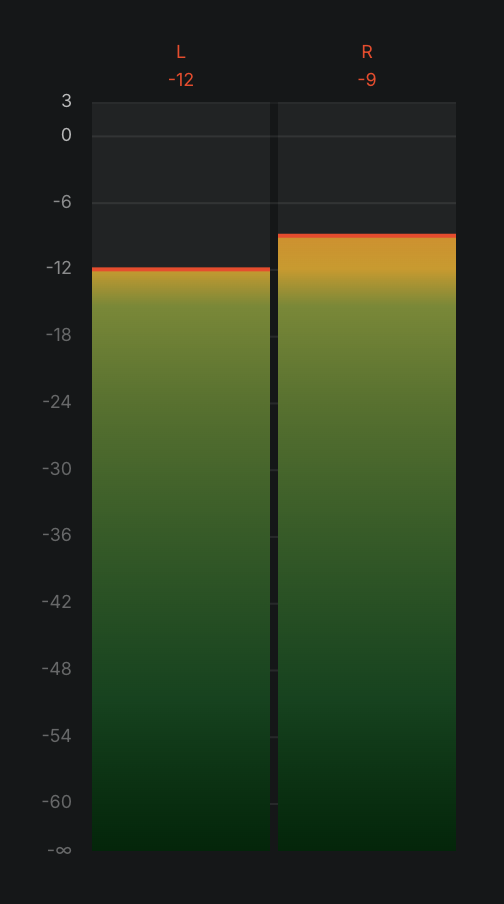
Sequence meters your mix in real dBFS. A compact mini meter sits in the playback control bar; click it to open the full audio meters panel beside the preview. The bars run green through a warning zone at −12 dBFS and flag a clip in red at 0 dBFS — with peak-hold markers so a transient you'd otherwise miss still registers. Metering runs locally from your own preview audio, so your levels are yours and don't move when a collaborator plays back.
Round-trips to Pro Tools when it's time to finish#
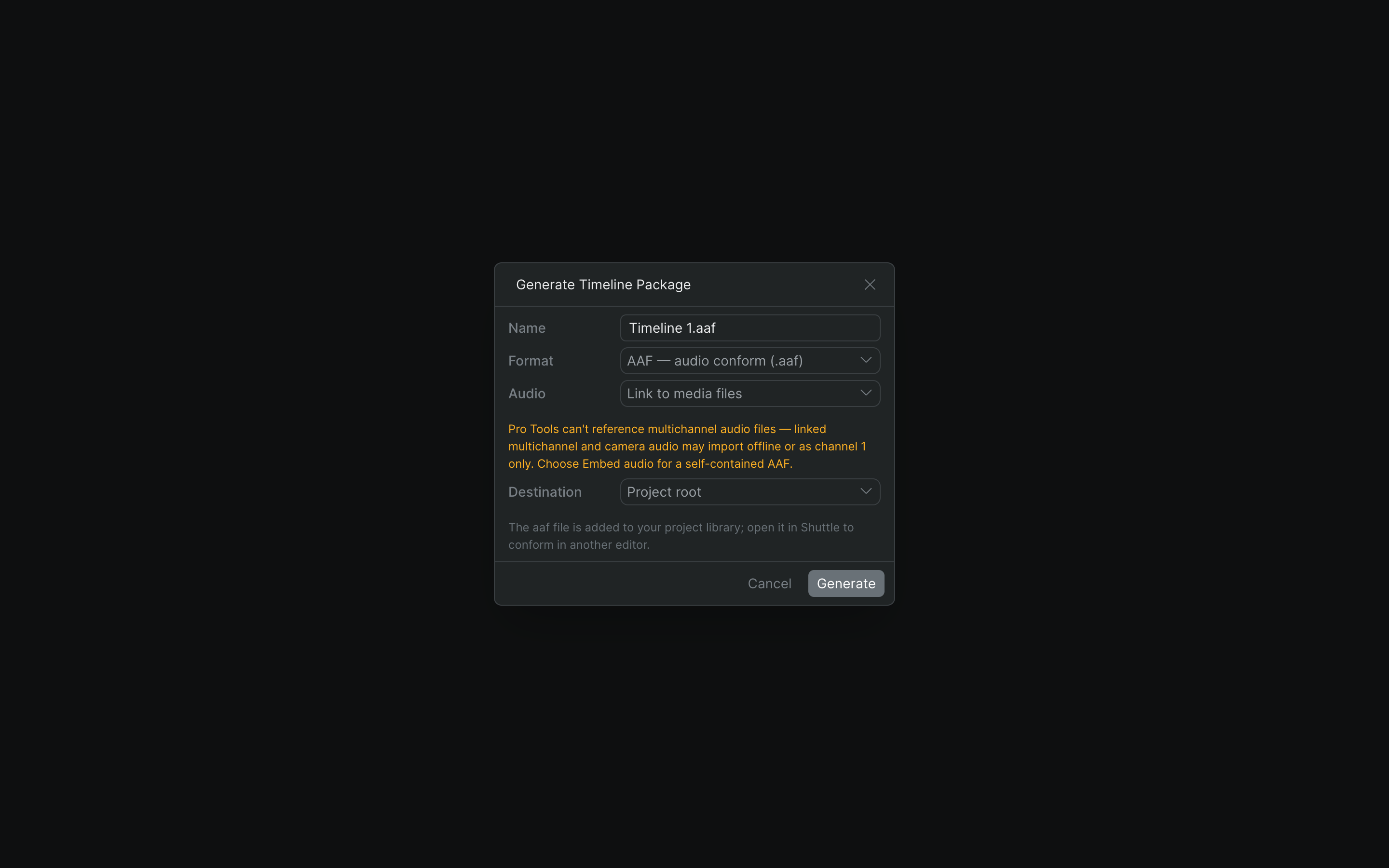
Sequence sweetens audio; it doesn't replace your mix stage. When a cut is ready for a proper mix, right-click the timeline and generate an AAF timeline package — the interchange format audio teams conform in Pro Tools or Avid Media Composer. Embed the audio for a self-contained handoff, mount your media and open the package with Shuttle, and your editorial audio lands in the mix session ready to finish. You rough the mix where you cut; your re-recording mixer finishes where they always have.
Pro tips#
- Use ⌥ + D to detach audio fast without breaking edit flow
- Watch the mini meter for quick checks; open the full panel for fine balancing
- Reach for a Voice Enhance EQ preset and the Compressor to seat dialogue before you touch levels
- Keep peaks below −12 dBFS so nothing surprises you at the mix stage
- Embed audio in the AAF unless you have a reason not to — Pro Tools can't reference multichannel audio files
Who it's for#
- Editors roughing a mix during assembly, not waiting for the mix stage
- Documentary and interview cutters seating dialogue against clean meters
- Post teams who need editorial audio to conform cleanly in Pro Tools
- Sound-conscious editors who want EQ and denoise without a round-trip
- Quick-turnaround projects that still need to hit a delivery level