Fast editors don't reach for the mouse. They live on the keyboard — J-K-L to shuttle, I and O to mark, single keys to swap tools — and any editor that fights that muscle memory slows the cut down.
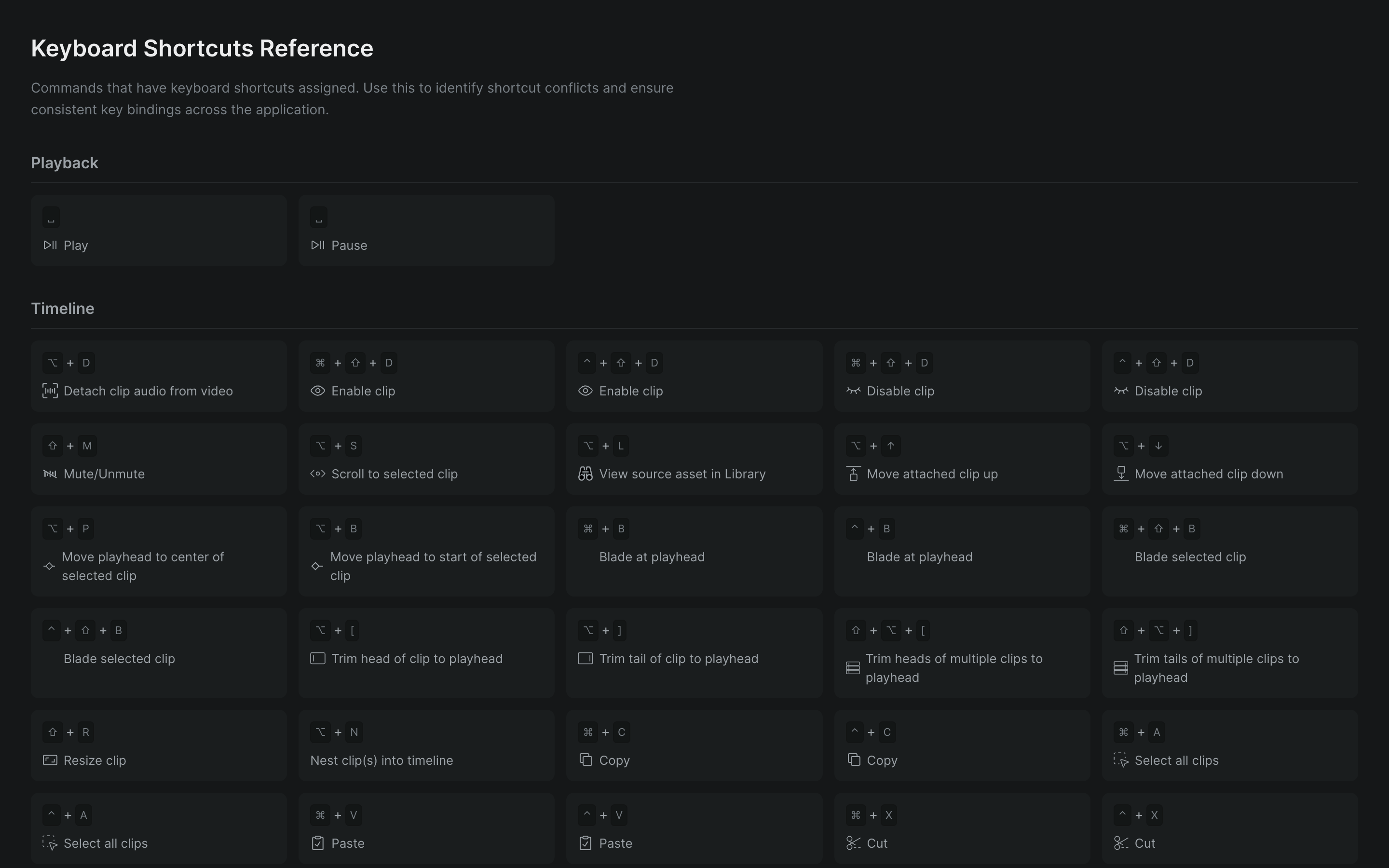
Sequence maps the shortcuts pro editors expect and documents every one, on both macOS and Windows, in the keyboard shortcuts reference. Playback, marking ranges, timeline navigation, tool selection, trimming, and panel switching all have keys — so you drive the timeline without leaving home row.
Find any action without memorizing it#
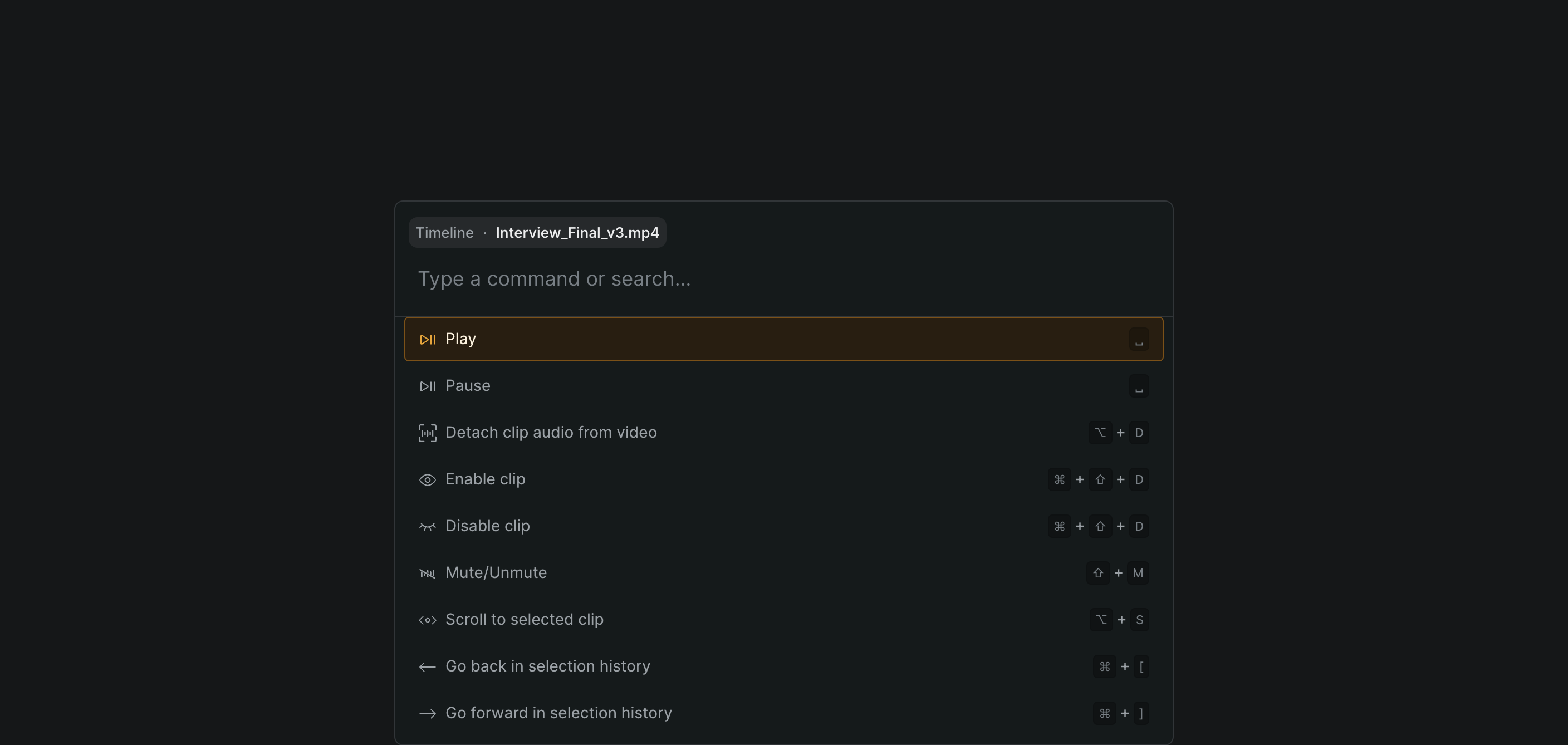
You don't have to learn a hundred bindings on day one. Press the command palette shortcut — Cmd-K (Windows: Ctrl-K) — type what you want to do, and Sequence shows the matching action with its shortcut right beside it. Run it from the palette, or learn the key for next time. Plenty of actions have no binding at all, and the palette is the fastest way to reach those too.
What's on the keyboard#
Play and mark
- J-K-L transport, with faster shuttle on repeat
- Step and jump frames, hop between edit points
- Set and clear the in/out range
- All listed in the shortcuts reference
Move the timeline
- Zoom, fit-to-view, and scroll from the keyboard
- Jump the playhead to start or end
- Select clip-to-clip without the pointer
- Retrace your recent selections like browser history
Cut and trim
- Single-key tool switches — selection, blade, hand
- Blade at the playhead, nest, detach audio
- Trim a clip's head or tail to the playhead
- Copy and paste a clip's adjustments across shots
Open panels and collaborate
- Two-key sequences open the Edit, Audio, Color, and Info panels
- Toggle the keyframe panel
- Switch multicam angles by number
- Comment and cursor-chat keys for working together
Cross-platform, both spelled out
Sequence runs in the browser on macOS and Windows, and the reference lists both keys for every action — so a team split across platforms shares one muscle memory. For the full set of actions grouped by area, see the commands reference.
Who it's for#
- Feature and episodic editors who cut by feel and can't afford to look down.
- Editors switching from Avid, Premiere, or Resolve who want familiar transport and marking keys.
- Assistant editors running fast through footage to prep and organize.
- Mixed macOS/Windows teams standardizing on one set of shortcuts.