A workspace is the container for your team's projects, media, and members. Creating one makes you its Owner, so you can invite people, set roles, and manage the plan. You can belong to more than one workspace and switch between them at any time.
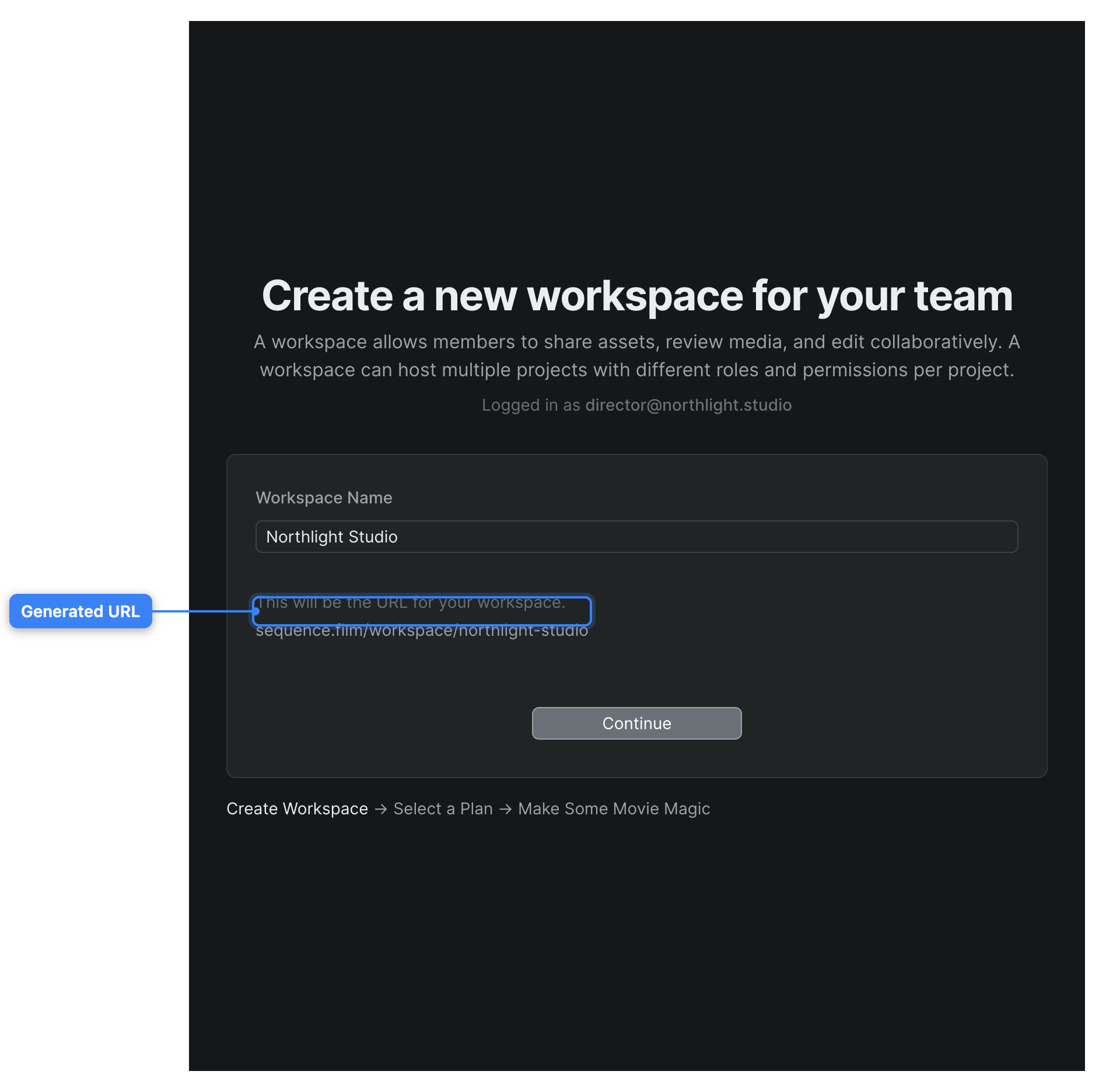
Create the workspace#
Open the new-workspace page
In Sequence, go to the Create a new workspace for your team page. If you're already in a workspace, click your workspace name at the top of the sidebar to open the workspace menu, choose Switch Workspace, then choose Create New Workspace.
Name your workspace
In the Workspace Name field, type a name for your team, such as your studio or company name. Sequence turns the name into a web address (URL) shown below the field as sequence.film/workspace/your-name: it lowercases the name, replaces spaces with hyphens, and removes other characters.
Create it
Click Continue. Sequence creates the workspace and takes you to plan selection to finish setup.
You're now the Owner of the workspace and can start inviting people and creating projects. To learn what Owners, Admins, Members, and Guests can each do, see Workspace roles and permissions.
The URL comes from the name
Sequence generates the workspace URL from the name and makes it unique, so no two workspaces share an address. A few reserved words (such as new and join) can't be used as a name — pick a different one if you're asked to.
Choose a plan#
After you click Continue, Sequence moves you into plan selection so you can pick a subscription for the new workspace. Your plan and its number of member seats determine how many people you can invite. To compare options or change plans later, see Plans and billing.
Switch between workspaces#
If you belong to more than one workspace, you can move between them without signing out.
- In Sequence, click your workspace name at the top of the sidebar to open the workspace menu.
- Choose Switch Workspace.
- Choose the workspace you want from the list.
Sequence opens the selected workspace. From the same menu you can also choose Join Workspace to join an existing team by invitation or email domain — see Join a workspace.