Welcome to Sequence — a collaborative video-editing platform that runs in your browser, so your whole team can cut, review, and finish projects together without installing anything. This page gets you signed in and oriented, then points you to the guides for whatever you want to do next.
Sign in#
In your browser, go to sequence.film and sign in. You can sign in with your Google account, or choose the passwordless option to have a one-time login code sent to your email, then enter that code.
Once you're signed in, Sequence takes you to your workspace.
Find your way around the project dashboard#
Your workspace opens to the All Projects view — the dashboard where you manage your work. From here you can create a new project, open an existing one, and reach projects you've been invited to collaborate on. Each project appears as a card showing its title, poster, and collaborators.
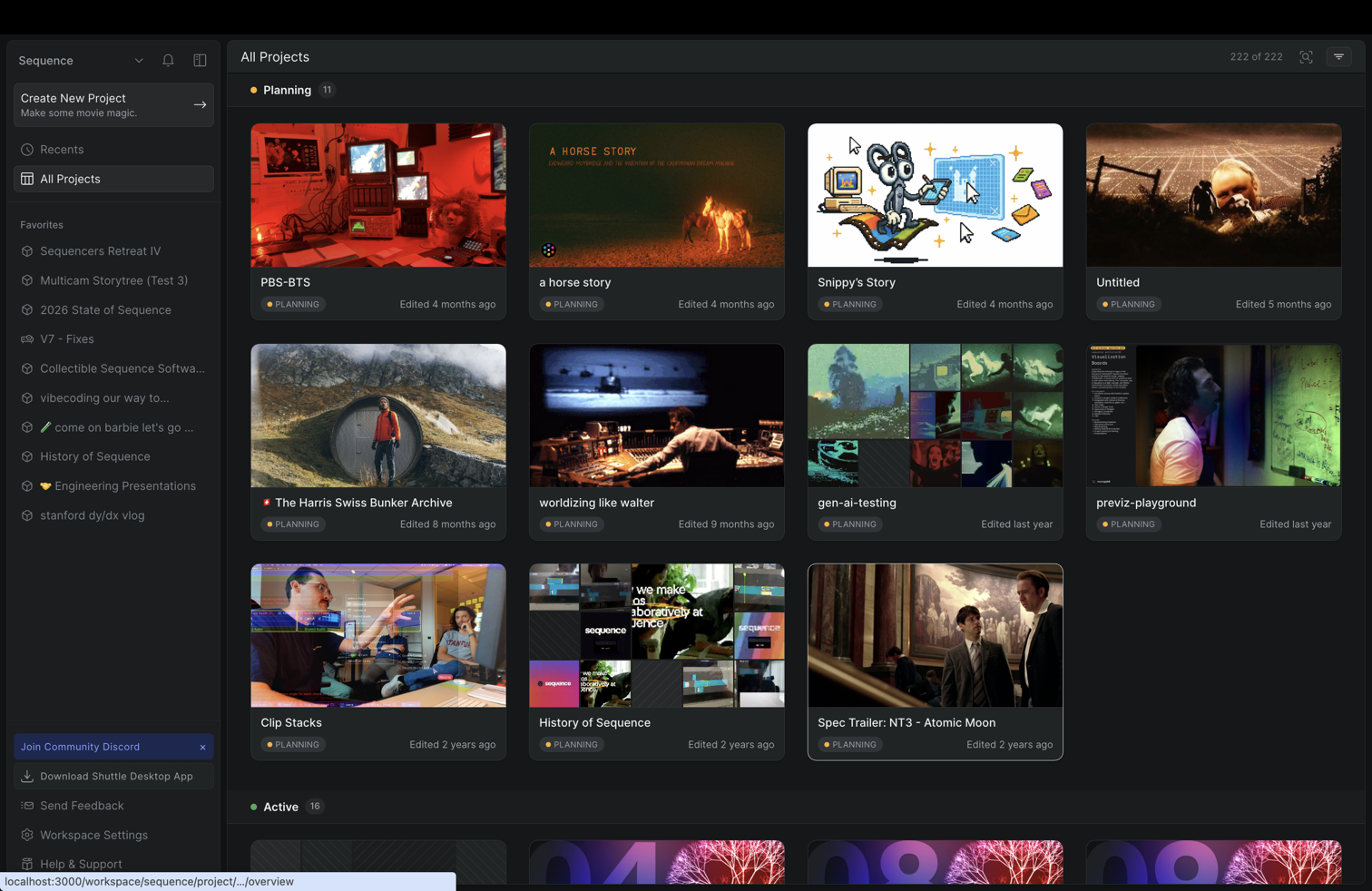
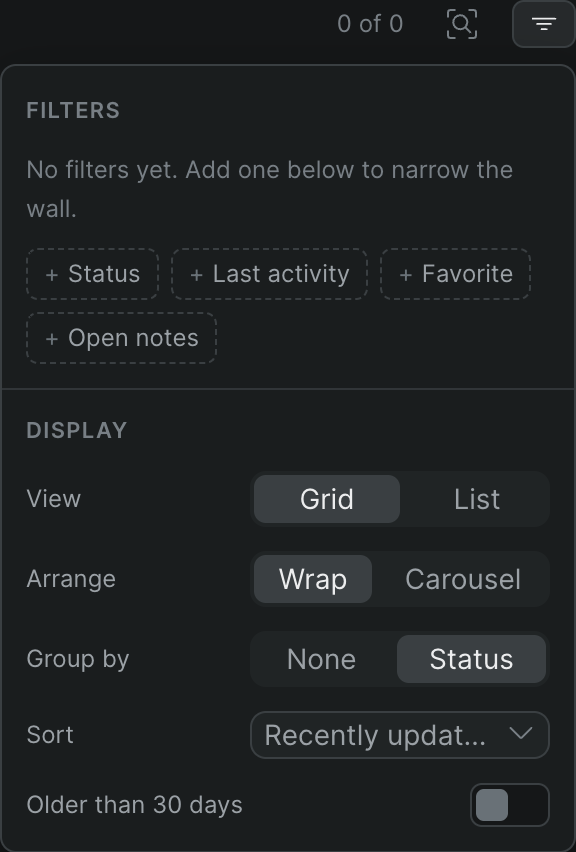
Open a project to start working in the editor, where you upload media, build timelines, and collaborate with your team.
Where to go next#
Once you're inside a project, here's where to start:
- Bring in your footage — Upload media files, then organize and preview them. Sequence can also transcribe and tag and label your clips, and it runs uploads, transcodes, and exports as background jobs you can track.
- Edit on the timeline — Create a timeline and edit with the timeline tools. Go deeper with titles and text, retiming clips, the keyframe graph editor, expressions, component tracks, audio EQ and channels, and video scopes.
- Work faster — Open the command palette to search and run any action, and let Snippy, your AI assistant, handle tasks and answer questions as you edit.
- Collaborate and review — Manage members and collaborators, leave comments, and share a project or a screening so reviewers can watch and comment without opening the project.
- Finish and hand off — Export your timelines and download your work.
Tip
New to Sequence? Watch the introduction video for a quick tour of the editor and collaboration features.
Send us feedback#
Sequence is actively developed, and your input shapes where it goes. To share feedback or reach the team directly, email team@sequence.film.